Summary
Salesloft was breached in August, resulting in Drift marketing token re-use in Salesforce based on the popular Salesforce integration. Drift collects quite a bit of information from prospects and customers alike, making the cache of that data gathered from token abuse very useful today as well as down the road. Since August 8th 2025, the threat actor tracked as UNC6395, GRUB1 or misp-galaxy:uuid=”12503160-884d-40b8-b4cf-9a4d11a769cf” has used stored drift tokens to exploit Salesforce instances across a broad swath of companies. The description given by Google, Cloudfare and Salesloft themselves are more than enough to have a pretty accurate detection capability. However, we haven’t seen many rules created in the public domain to detect this activity? For the rules that do exist, they do not really accurately represent the threat in their detection logic. Let’s walk through the process someone trying to put detections in place for this emergent threat might use.
Hunting for public detection
Using the search capability in public detection repos, we found only a few public detections using the terms ‘Salesloft’, ‘Trufflehog’ which are dominant terms in the Salesloft Drift attack, ‘Salesforce’ as a search term finds a single detection in SigmaHQ repo detecting a user terminating an activity in Microsoft 365 Defender:
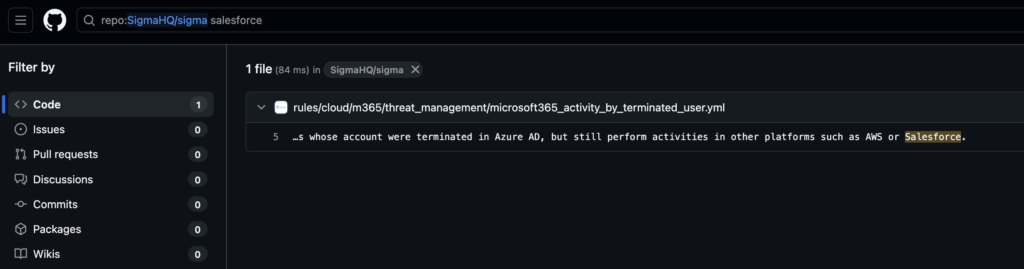
Inside this file, the detection is “Activity performed by terminated user” which doesn’t have any direct relationship to Salesforce, Salesloft or the attack behavior we would want to detect.
 18 detection:
 19     selection:
 20         eventSource: SecurityComplianceCenter
 21         eventName: 'Activity performed by terminated user'
 22         status: success
 23     condition: selection
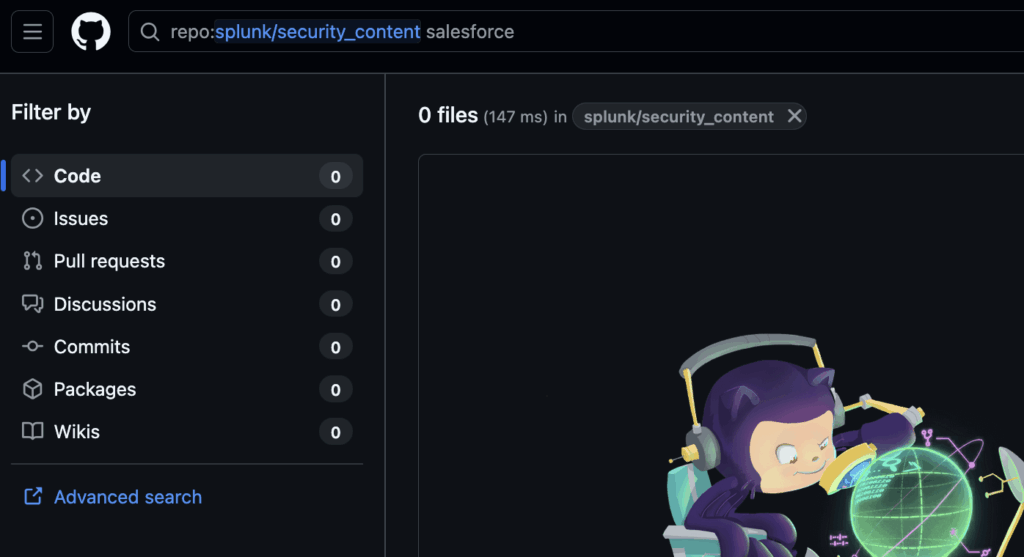
Looking in the Splunk Detection repo, we also do not find any detection examples based on the keyword search, ‘Salesloft’, ‘Trufflehog’ or ‘Salesforce’:
Azure Sentinel has a few Salesforce detections which illustrate generic detection behaviors shared with this attack:
- User Sign in from different countries
- Brute force attack against user credentials
- Potential Password Spray Attack
Emerging Threat rules for Snort and Suricata have three rules matching the Google blog, which is at least a starting point. Here are those detections:
alert http $EXTERNAL_NET any -> $HOME_NET any (msg:"ET HUNTING Suspicious User-Agent String Observed Inbound (Salesforce-CLI/1.0)"; flow:established,to_server; http.user_agent; bsize:18; content:"Salesforce-CLI/1.0"; fast_pattern; reference:url,cloud.google.com/blog/topics/threat-intelligence/data-theft-salesforce-instances-via-salesloft-drift; classtype:trojan-activity; sid:2064295; rev:1; metadata:affected_product Web_Server_Applications, attack_target Web_Server, tls_state TLSDecrypt, created_at 2025_09_04, deployment Perimeter, performance_impact Low, confidence High, signature_severity Informational, tag Description_Generated_By_Proofpoint_Nexus, updated_at 2025_09_04, mitre_tactic_id TA0043, mitre_tactic_name Reconnaissance, mitre_technique_id T1590, mitre_technique_name Gather_Victim_Network_Information; target:dest_ip;)
alert http $EXTERNAL_NET any -> $HOME_NET any (msg:"ET HUNTING Suspicious User-Agent String Observed Inbound (Salesforce-Multi-Org-Fetcher/1.0)"; flow:established,to_server; http.user_agent; bsize:32; content:"Salesforce-Multi-Org-Fetcher/1.0"; fast_pattern; reference:url,cloud.google.com/blog/topics/threat-intelligence/data-theft-salesforce-instances-via-salesloft-drift; classtype:trojan-activity; sid:2064296; rev:1; metadata:affected_product Web_Server_Applications, attack_target Web_Server, tls_state TLSDecrypt, created_at 2025_09_04, deployment Perimeter, performance_impact Low, confidence High, signature_severity Major, tag Description_Generated_By_Proofpoint_Nexus, updated_at 2025_09_04;)
alert http $EXTERNAL_NET any -> $HOME_NET any (msg:"ET INFO Python aiohttp User-Agent Observed Inbound"; flow:established,to_server; http.user_agent; content:"python/"; startswith; nocase; content:"aiohttp/"; within:20; nocase; fast_pattern; reference:url,cloud.google.com/blog/topics/threat-intelligence/data-theft-salesforce-instances-via-salesloft-drift; classtype:trojan-activity; sid:2064326; rev:1; metadata:affected_product Web_Server_Applications, attack_target Web_Server, tls_state plaintext, created_at 2025_09_04, deployment Perimeter, performance_impact Low, confidence High, signature_severity Informational, tag Description_Generated_By_Proofpoint_Nexus, updated_at 2025_09_04; target:dest_ip;)
These rules have clearly been auto-generated and not tested.
These rules reflect the message ‘Observed Inbound’ for a flow that goes to_server. Normally this flow should be Outbound, though this doesn’t affect the detection efficacy. The real problem is these Detections are solely based on three User-Agent strings:
- Salesforce-CLI/1.0
- Salesforce-Multi-Org-Fetcher/1.0
- python/ <whatever> aiohttp/ <whatever> which could match Python/3.13 aiohttp/3.12.15
So anytime one has a tool using the Python aiohttp library, there will be an alert “ET INFO Python aiohttp User-Agent Observed Inbound” referencing the Salesforce instance Salesloft Drift breach!
Testing Cloudfare token validity
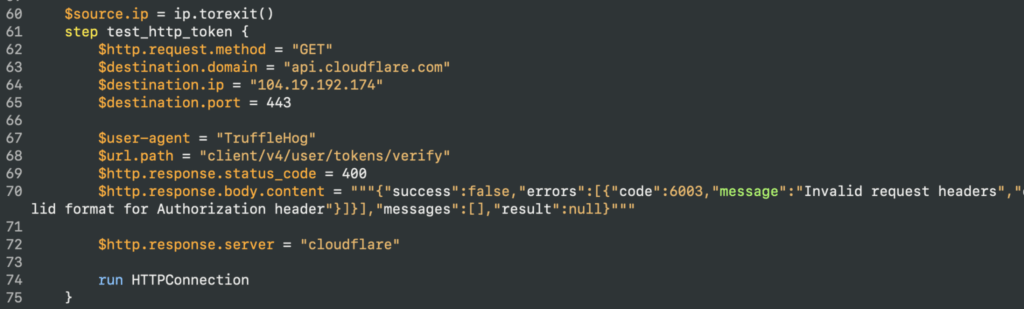
Effective detection of this attack necessitates a behavioral approach. Although relying on a user agent string can be helpful, its efficacy is compromised when shared across multiple tools or libraries. In this particular incident, requests originated exclusively from Tor exit nodes. Specific and documented HTTP responses from the services employed provide further indicators: the Cloudflare API service, specifically the call to /client/v4/user/tokens/verify, generated a high volume of 404 errors with “invalid tokens” messages, as the attacker utilized Trufflehog to generate valid tokens for subsequent connection to the Salesforce instance.
It was observed the error returned when the token was invalid was 400. We are using our attack description language, Adel, to capture the attack.
Successful Salesforce Connection
Continuing on the timeline we observed the Salesforce connected user token being used:
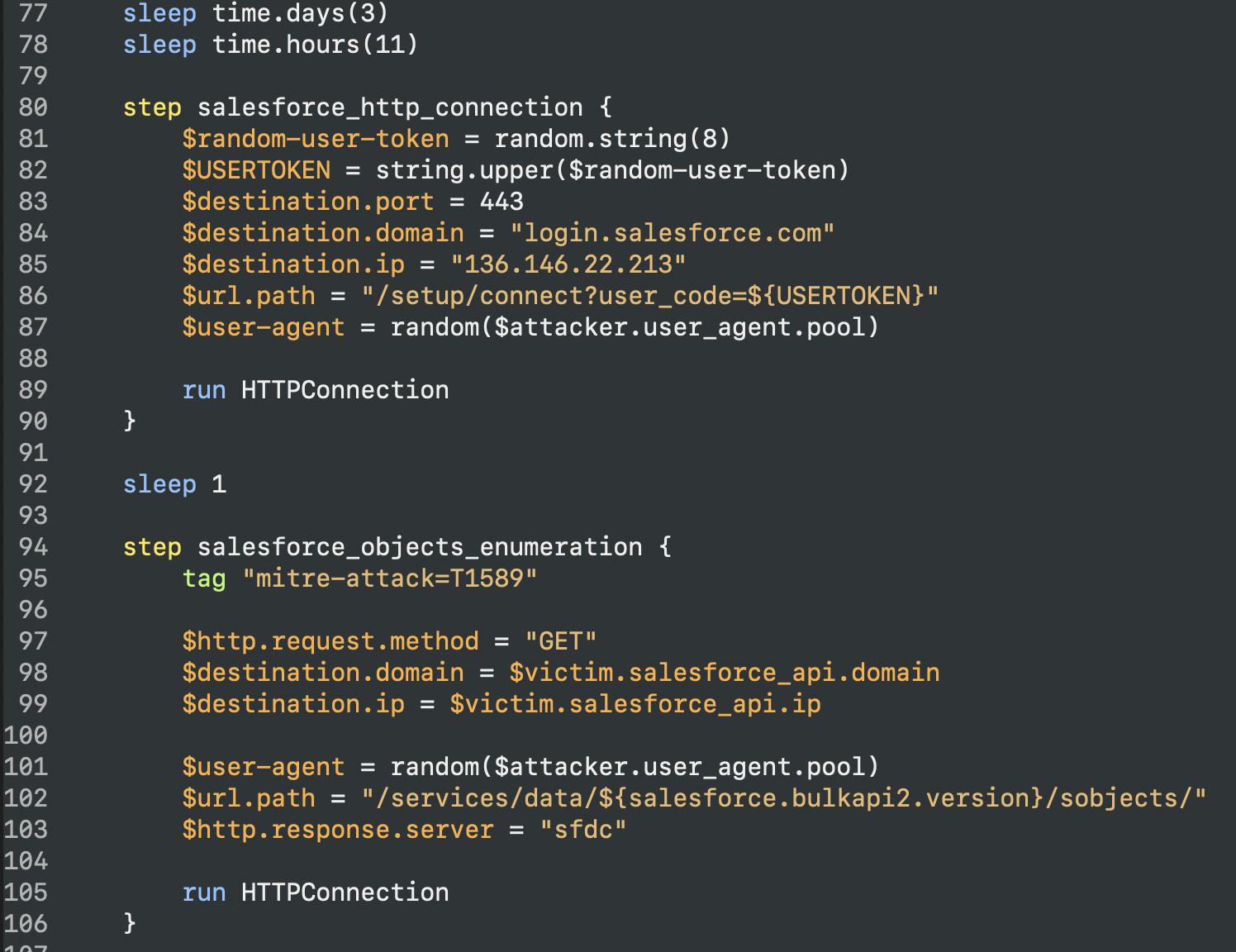
Those request are also happening from a Tor exit node as well, from this pool of user agents:

Salesforce Eventlog
Salesforce Eventlog allows to get the attack behavior, which in its reconnaissance phase got various information from salesforce: Account, Contact and User.
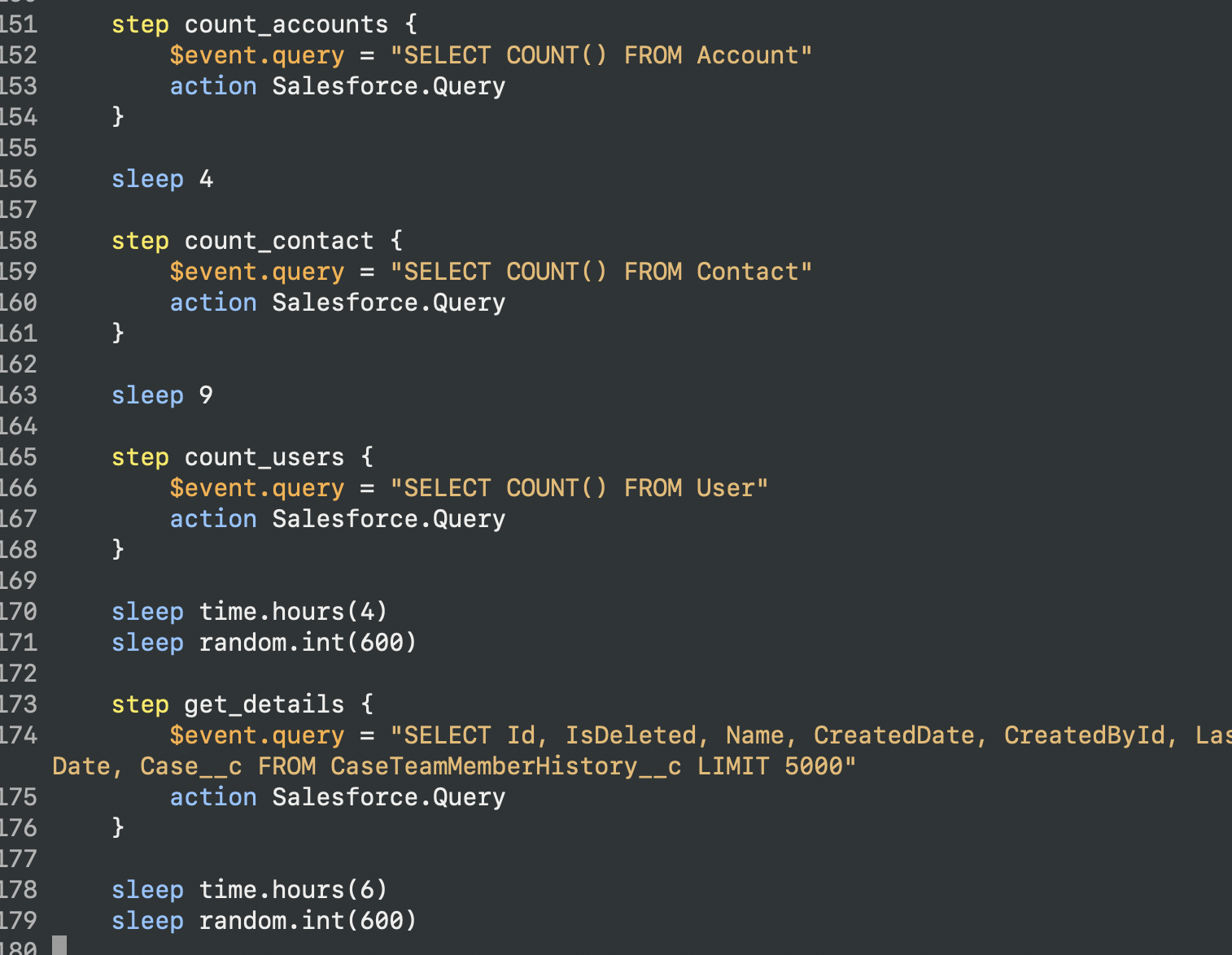
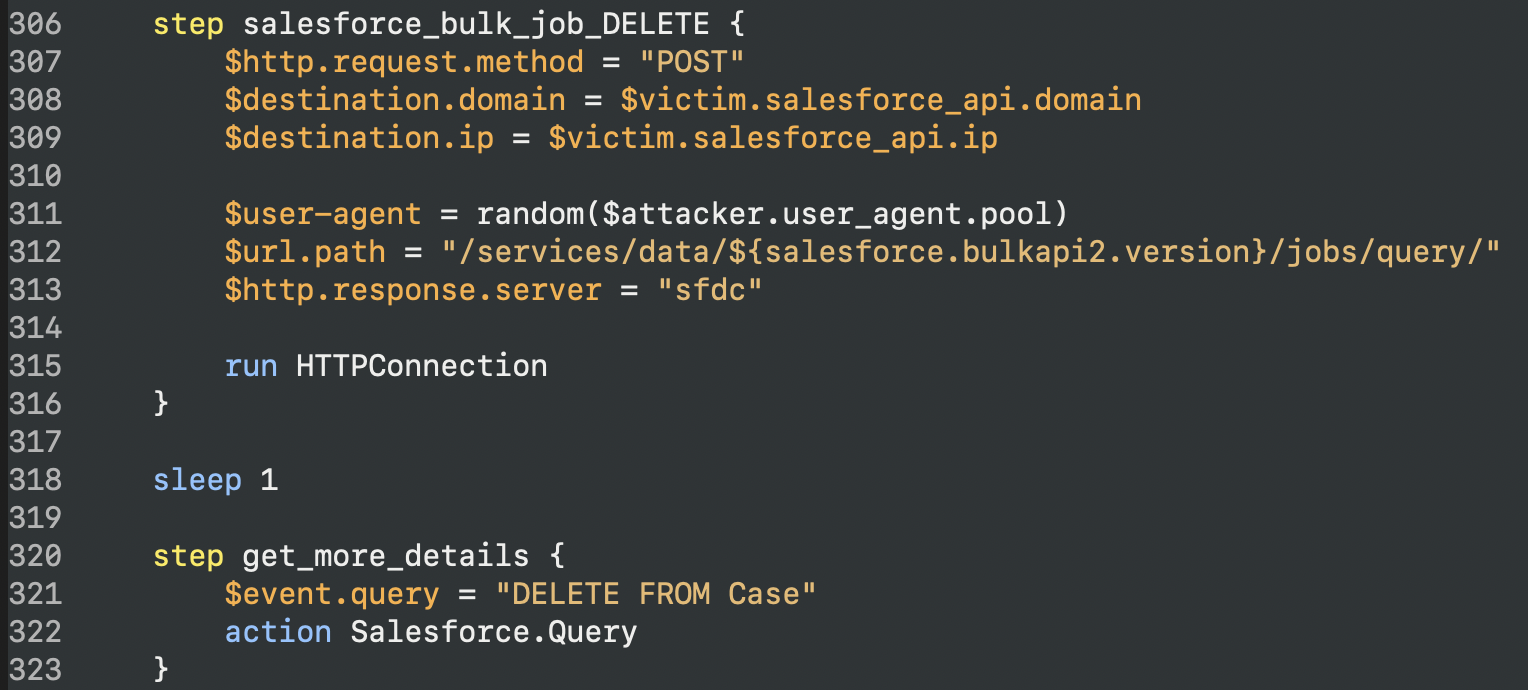
The last part of the attack uses the Salesforce Bulk API to exfiltrate but then remove created bulk jobs and DELETE data from the Case table:
Why Detecteam
While public detections of the recent breach appear limited, Detecteam’s REFLEX™ platform specializes in developing, testing, validating and deploying robust detection mechanisms for various integrations, including Splunk, Elastic, Sekoia, and Devo, by leveraging attack behaviors. Because we generate precise data reflecting adversary behaviors, Detecteam’s detections are accurate to the threat behavior. Details matter when discussing speed, coverage, and quality. Accuracy is the validation you are actually prepared for this behavior and have evidence from testing and provenance in the data used to tell the detection story. Close the loop on your detection development lifecycle in minutes not months.
For context-aware and rigorously tested quality detections, we are happy to support your requirements.